Feature walkthrough
Watch Respond format CVs, search the talent pool and build a submission pack.
A four-minute walk-through of CV formatting, talent-pool match search, and the AI-assisted submission pack — narrated by the team.
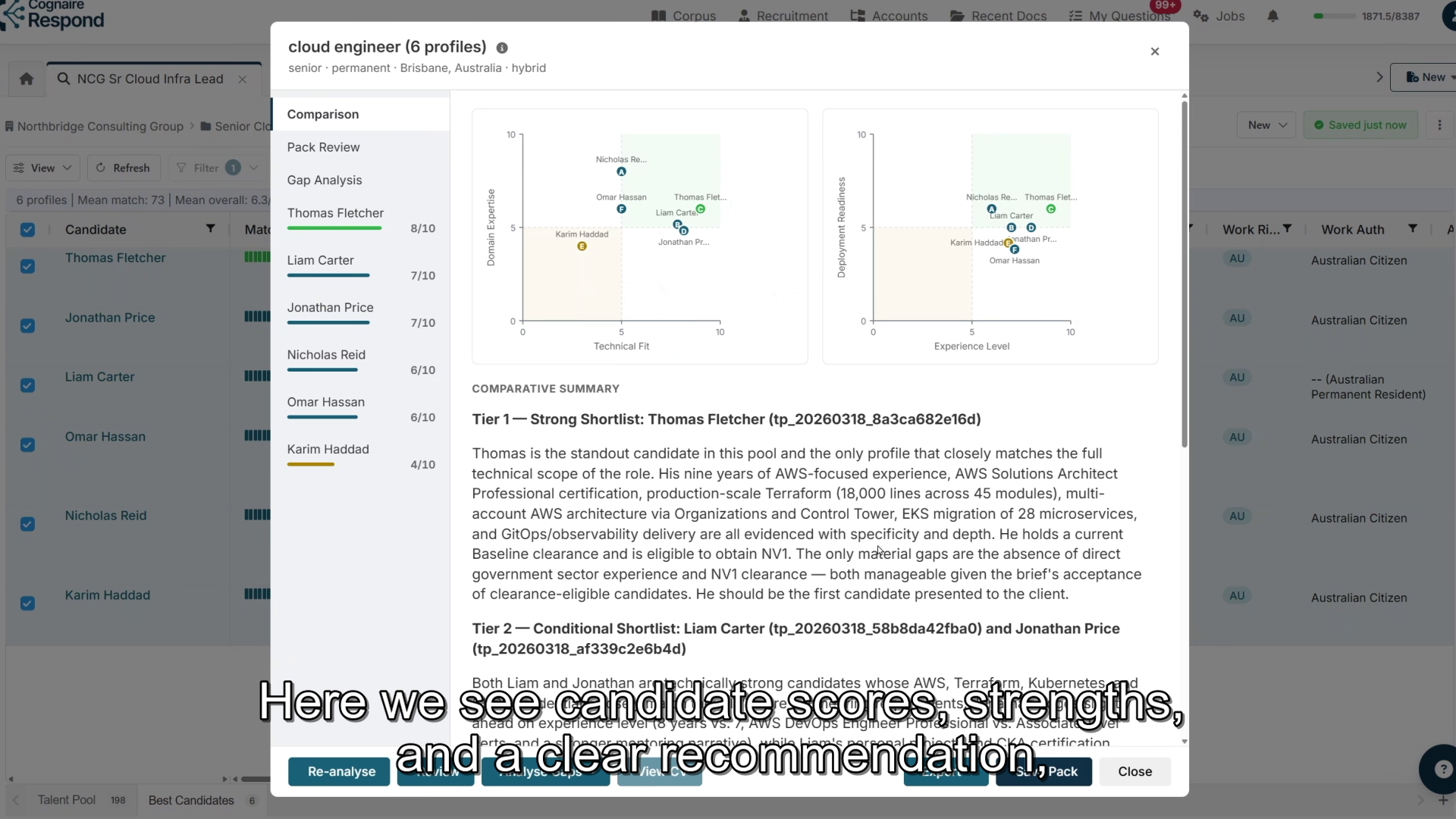
Respond is an agentic recruitment platform. Its AI agent carries out several recruitment tasks from one instruction. The brief, assessments and candidate replies stay with the role, so you spend less time reconstructing progress and more time with candidates and clients.
No ATS replacement project required.
Estimated reduction in CV formatting time versus manual reformatting.
Estimated reduction in time to find strong-fit candidates.
Typical time saved creating a client-ready submission pack.
Respond’s AI agent sits beside your workspace. Tell it what you need in plain language and it carries out the work, then shows you what it did and what needs your attention. You control candidate contact and client submissions.
Give one instruction for several tasks. One request can run a match, analyse the strongest candidates, build the shortlist and draft outreach. Larger matching and analysis jobs run in the background while you keep working.
The brief, candidate assessments and your screening notes are saved against the role, so you are not re-entering details or re-explaining the brief each time.
Return to the role with the brief, assessments, replies and screening notes together. Candidate replies arrive with draft responses ready, and client feedback sits against the right submission.
A four-minute walk-through of CV formatting, talent-pool match search, and the AI-assisted submission pack — narrated by the team.
Agencies spend hours reformatting CVs or waiting on offshore services before a candidate can be sent to a client. Respond does the formatting automatically.
Jordan Marsh
Senior Platform Engineer · 9y
Every formatted CV becomes a searchable candidate profile with skills, years of experience, seniority, certifications, clearance, location, work rights, last role and last employer. No manual data entry. Whether you have 50 profiles or 100,000, your team can filter and search the pool.
Keyword search misses good people. Respond ranks candidates against the job brief by meaning and context, then helps your team compare strengths, gaps, readiness and fit before you build a shortlist. Ask the agent to run the match and analyse the strongest candidates, or run each step yourself.
Three steps your team can adopt quickly. Work through them yourself or ask the agent to carry them forward. No ATS replacement project required.
Paste the job brief or describe the role to the agent. Respond searches your talent pool against the brief and assesses the strongest matches, so you can shortlist with evidence.
The agent drafts outreach for your shortlist, which you review and send. Replies arrive as tasks with draft responses ready. Respond prepares a brief for each screening call; record your screening notes and the candidate’s permission to represent them.
Respond uses the confirmed screening details to prepare the client submission. Record client feedback against the right submission and draft candidate updates. Optional masking supports blind shortlisting where the client requires it.
Most agencies answer panel tenders, preferred supplier lists and client onboarding forms alongside their candidate work. Respond handles that from the same platform — no separate tool required.
Import questions from Excel, Word or pasted text. Respond generates answers from your approved procedures, policies and compliance documents.
Reuse approved answers across client onboarding forms and security assessments without rebuilding content from scratch.
Coordinators work from focused queues of assigned questions instead of jumping between documents and inboxes.
Monitor CV formatting status, talent pool growth, shortlist quality and submission progress.
Mask candidate names and contact details on export when clients require anonymised first-round review.
Respond’s AI agent doesn’t just answer questions — it does recruitment work. Ask for an outcome, such as “analyse the top six candidates, shortlist the strongest three and prepare outreach for my review”, and it completes those steps in your workspace, then tells you what it did and what needs your attention.
When you ask it to, the agent can create and update job briefs, run matching, analyse and shortlist candidates, draft outreach and replies, prepare screening call briefs, prepare client submissions and pick out client feedback from emails. You choose how much it does before checking in with you. It carries out the work you delegate and checks in when it needs your input or approval.
You preview and approve every outreach email, reply, client submission and candidate update before it is sent. A candidate goes to a client only after you record your screening decision and the candidate’s permission to represent them, and you confirm client feedback before candidates are updated. You decide whom to put forward, with the candidate’s permission.
Respond protects candidate data with strict access controls, encryption, audit trails and tenant isolation. Your content is not used to train external models. Regional deployments can be arranged when data needs to stay in a specific jurisdiction — ask us about available options.
Send a PDF or Word CV to your dedicated Respond email address. The system reads the document, extracts the candidate content, applies your agency template, and returns a professionally formatted Word profile within minutes.
Yes. Respond can rank large talent pools against a specific job brief and surface candidates whose experience fits the role even when their CV uses different wording from your search terms.
Yes. Recruitment teams can use Respond for CV formatting, candidate matching and submission packs, and also for RFPs, panel tenders, onboarding forms and compliance questionnaires.
Bring a redacted job brief and a handful of CVs. We will run matching and draft outreach live, then use prepared records to show how screening notes flow into a client submission.